Linux Ubuntu Desktop
About Course
Linux Ubuntu Desktop
Transition smoothly to Linux on the desktop. Learn how to install, customize, manage applications, and use Ubuntu Desktop for daily office productivity and software development.
📘 Course Overview
Ubuntu Desktop offers a fast, secure, license-free operating system ideal for corporate workstations, developers, and everyday users. Whether you are migrating an organization away from proprietary OS licensing costs or setting up a powerful developer workstation, mastering Ubuntu Desktop is essential.
This course covers both the intuitive GNOME graphical interface and essential command-line operations to make you completely self-sufficient on Linux.
🎯 What You Will Learn
- Install Ubuntu Desktop (Standalone or Dual-Boot with Windows) and configure hardware drivers.
- Navigate the GNOME desktop environment, workspaces, and file manager efficiently.
- Install and update software using App Center, Snap, Flatpak, and the APT command line.
- Use office productivity suites (LibreOffice), web browsers, multimedia, and developer tools.
- Configure Wi-Fi, VPNs, network shares, printers, backups, and desktop firewall security.
Course Curriculum
6 practical modules designed for desktop users, IT helpdesk teams, and developers.
Installation, Dual-Boot & Getting Started
- Introduction to Linux and the Ubuntu Desktop LTS ecosystem
- Creating bootable USB media and installing Ubuntu (Clean Install, Dual-Boot, or VirtualBox/VMware)
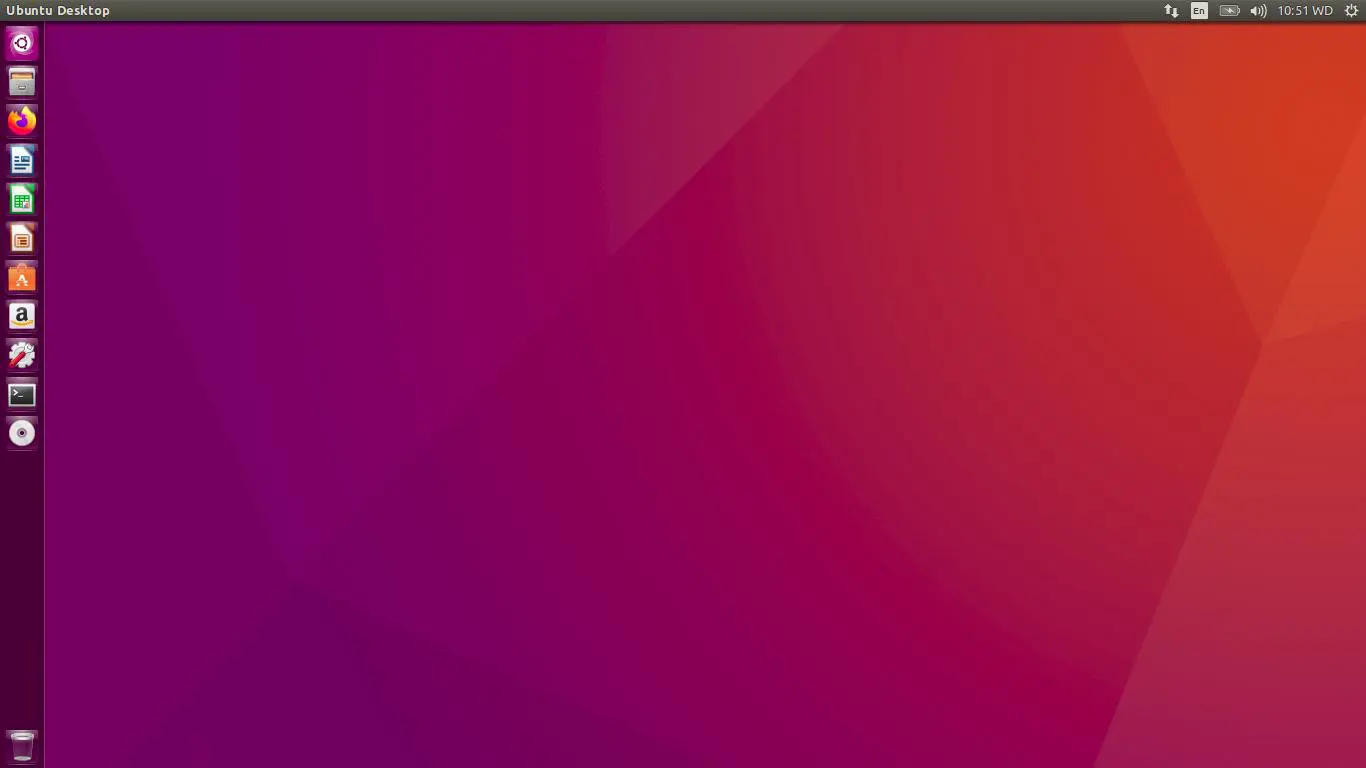
- Exploring the GNOME Desktop: Dock, Activities Overview, Workspaces, and Keyboard Shortcuts
- Configuring display settings, Thai/English keyboard layouts, fonts, and system preferences
File Management & Office Productivity
- Understanding the Linux directory structure and Home folder organization
- Using the Nautilus File Manager: bookmarks, archives, external USB drives, and cloud storage
- Working with LibreOffice (Writer, Calc, Impress) and Microsoft Office file compatibility
- Essential daily apps: PDF viewers, email clients (Thunderbird), and media tools
Software Installation & Package Formats
- Installing applications graphically with the Ubuntu App Center
- Understanding modern Linux package formats: .deb (APT), Snap, Flatpak, and AppImage
- Managing software repositories, PPAs, and system updates via Software Updater
- Running Windows applications on Ubuntu using Wine / Bottles and virtualization
Essential Terminal & Command Line Skills
- Getting comfortable with the GNOME Terminal and Bash shell
- Essential file and directory commands: ls, cd, cp, mv, rm, mkdir, and find
- Using sudo for administrative tasks and updating the system via apt
- Managing file permissions and ownership for local users
Networking, Hardware & Peripherals
- Configuring Wi-Fi, Ethernet, static IPs, DNS, and Corporate VPN connections (OpenVPN / WireGuard)
- Accessing Windows shared folders (SMB/CIFS) and remote servers (SSH/SFTP) from the File Manager
- Installing proprietary GPU drivers (NVIDIA/AMD), printers (CUPS), and Bluetooth devices
- Setting up developer tools: VS Code, Git, Docker Desktop, and SSH keys
System Maintenance, Security & Backup
- Monitoring CPU, memory, and disk usage with System Monitor and Disk Usage Analyzer
- Configuring desktop firewall security (UFW / GUFW) and user account privacy
- Setting up automated personal backups with Déjà Dup Backups and system snapshots (Timeshift)
- Troubleshooting frozen apps, display server (Wayland/X11) issues, and boot recovery
👥 Who Should Attend
- • End-Users & Office Staff migrating from Windows/macOS to Ubuntu Linux
- • IT Helpdesk & Desktop Support technicians supporting Linux workstations
- • Software Developers & Students using Ubuntu as their primary workstation
- • Organizations adopting open-source desktop operating systems
💻 Prerequisites & Requirements
- • Basic everyday computer skills (using a web browser, files, and folders)
- • No prior Linux or command-line experience required
- • A PC/Laptop with at least 8 GB RAM (for VirtualBox/VMware lab or direct install)
Ready to Switch to Ubuntu Desktop with Confidence?
Enroll in our online video course or contact us for Live Online and Corporate In-house training packages.